
How to invite your team to PapaHR via Telegram
If your employees have no work email, they sign in to PapaHR through Telegram. You send each person their personal link, and the PapaHR bot does the rest. A team of 20–30 people takes about five minutes.
✅ Your employees are already added to PapaHR — one by one or from Excel. No email is needed in their cards.
Step 1
Open “Access and roles”
This page shows who already signs in to PapaHR and what they see.
Open “Access and roles” →Step 2
Make links for the whole team
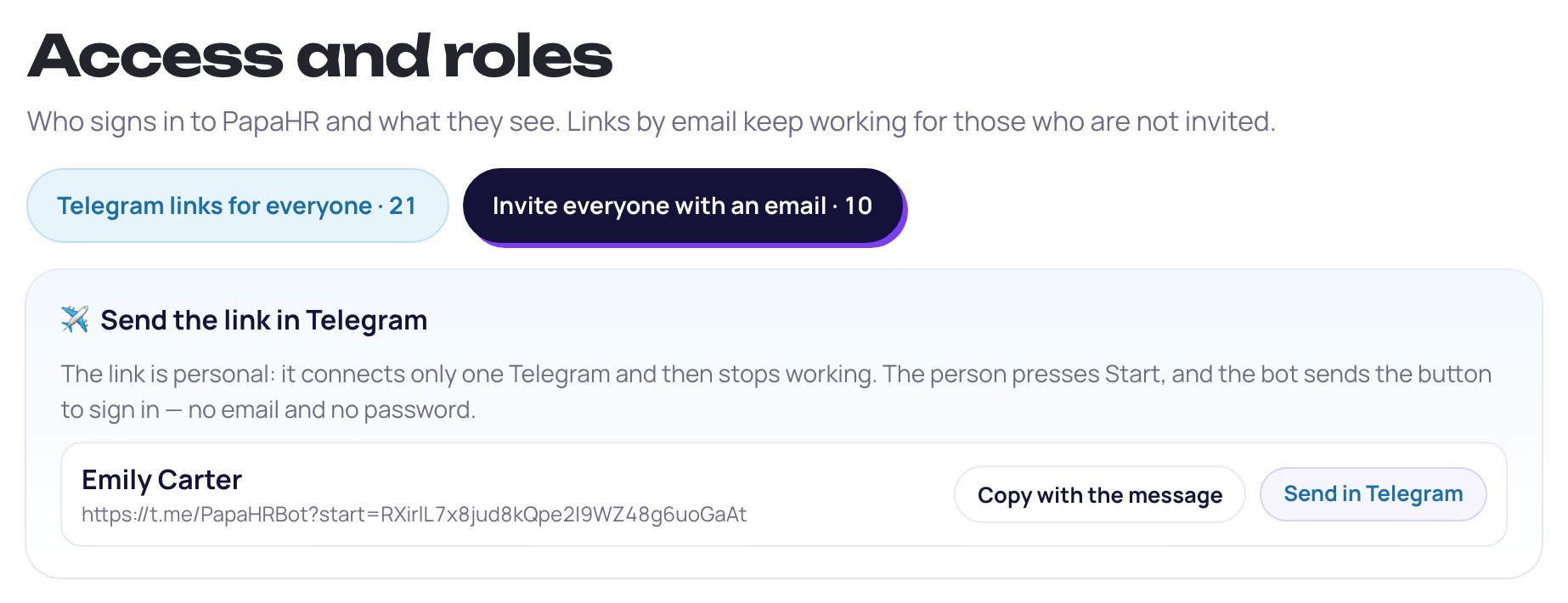
Press “Telegram links for everyone” at the top of the page. PapaHR makes a personal link for everyone who has never signed in.
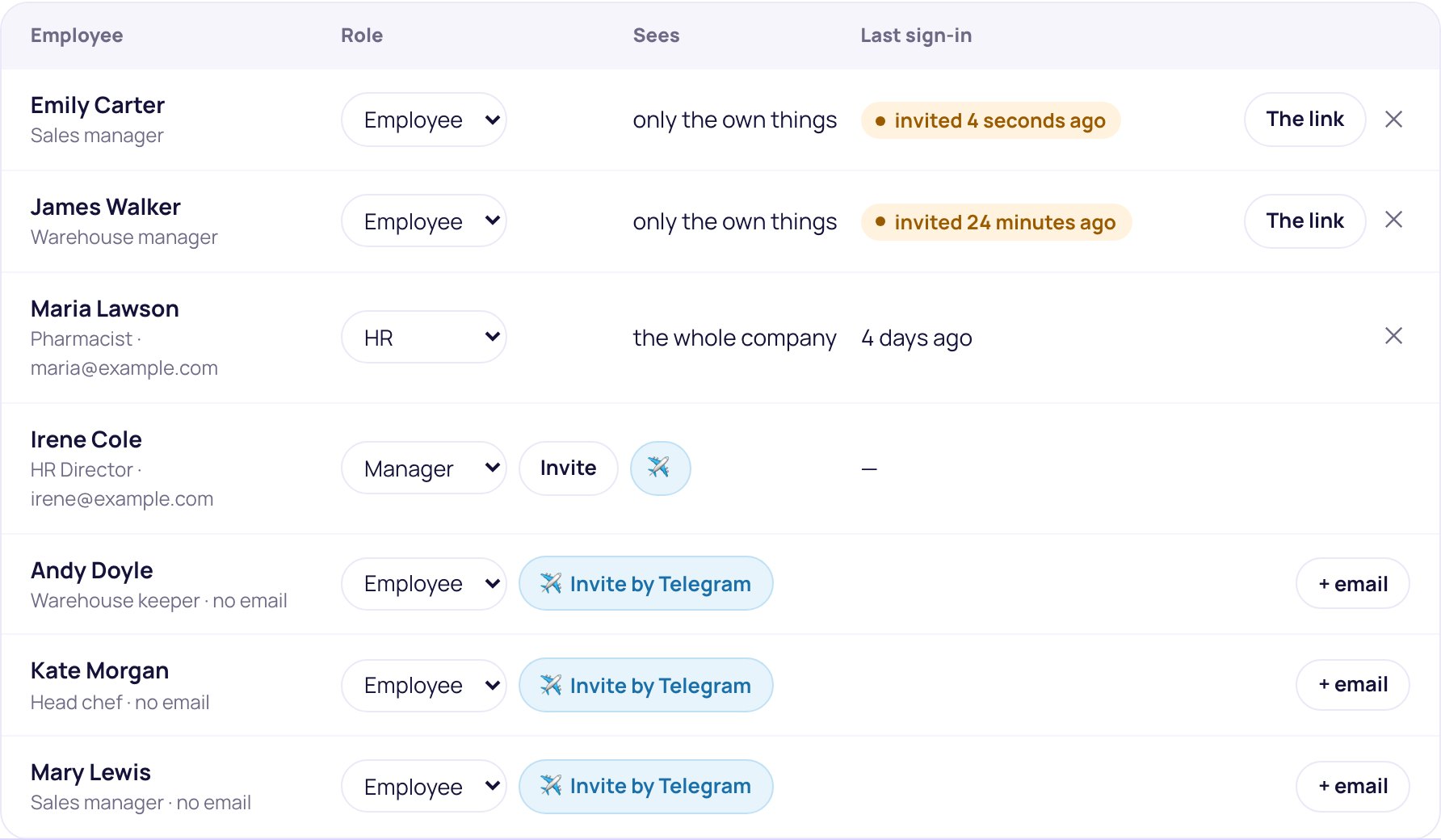
The role is picked for you: whoever has people reporting to them in their card becomes a manager, everyone else an employee. You can change the role in the list below.
Need to invite just one person? Press “✈️ Invite by Telegram” in their row and pick the role.
Step 3
Send each person their link
Under every name there is a link and two buttons. “Send in Telegram” opens Telegram with a ready message: pick the employee and send it. “Copy with the message” — if you prefer to paste it into the chat yourself.
“Copy the whole list” gives all names and links as one text, if you hand them out from your own phone.
⚠️ Important. The link is personal. Do not post it in a group chat: whoever presses it first signs in as that employee. After the first press the link stops working.
Step 4
Send your employees the guide
Together with the personal link, send your employees a short guide — how to sign in and what to do next.
Step 5
See who has signed in
In “Access and roles”, the “Last sign-in” column shows who is already in PapaHR.
For anyone who hasn't signed in, press “The link” in their row and send them a new link.
Common questions
An employee already connected the PapaHR bot for reminders. Do they need a link?
No. When you press “Telegram links for everyone”, the bot sends them the sign-in button itself. The page shows how many people the bot has already messaged.
An employee says the link does not work
The link works once. If it was already opened or forwarded, press “The link” in the employee's row — PapaHR makes a new one.
An employee changed their phone or Telegram
If it is the same Telegram account, nothing to do: they sign in from the new phone as usual. If it is a new Telegram account, send them a new link and it connects the new account.
Can I invite managers and HR this way?
Yes. Pick the role before you make the link. A manager sees their team, HR sees the whole company.
An employee left. How do I close their access?
Mark in their card that they left, or press ✕ in their row in “Access and roles”. They can no longer sign in through Telegram.
Is it safe?
The invitation link works once. The sign-in button the bot sends works for 30 minutes and also only once. Only the Telegram account connected to the employee can sign in.
Didn't find the answer?
Write to us — we'll answer and add it to the guide.