
A free leave management system for small business
Your leave policy in the system: the leave types, days a year, monthly or yearly accrual and the carry-over of the rest. Employees request, managers approve, the balances count themselves. Free for up to 25 employees.
Leave management is in the free plan of PapaHR: up to 25 employees.
- Set the leave types: days a year, accrual every month or all at once, paid or unpaid.
- Upload the team from Excel — the balances are counted from the hire date.
- Employees send requests; the manager sees who of the team is already away and approves with one button.
What PapaHR costs your company
a month paying for a year
a month paying monthly
In Pro you pay for at least 10 employees.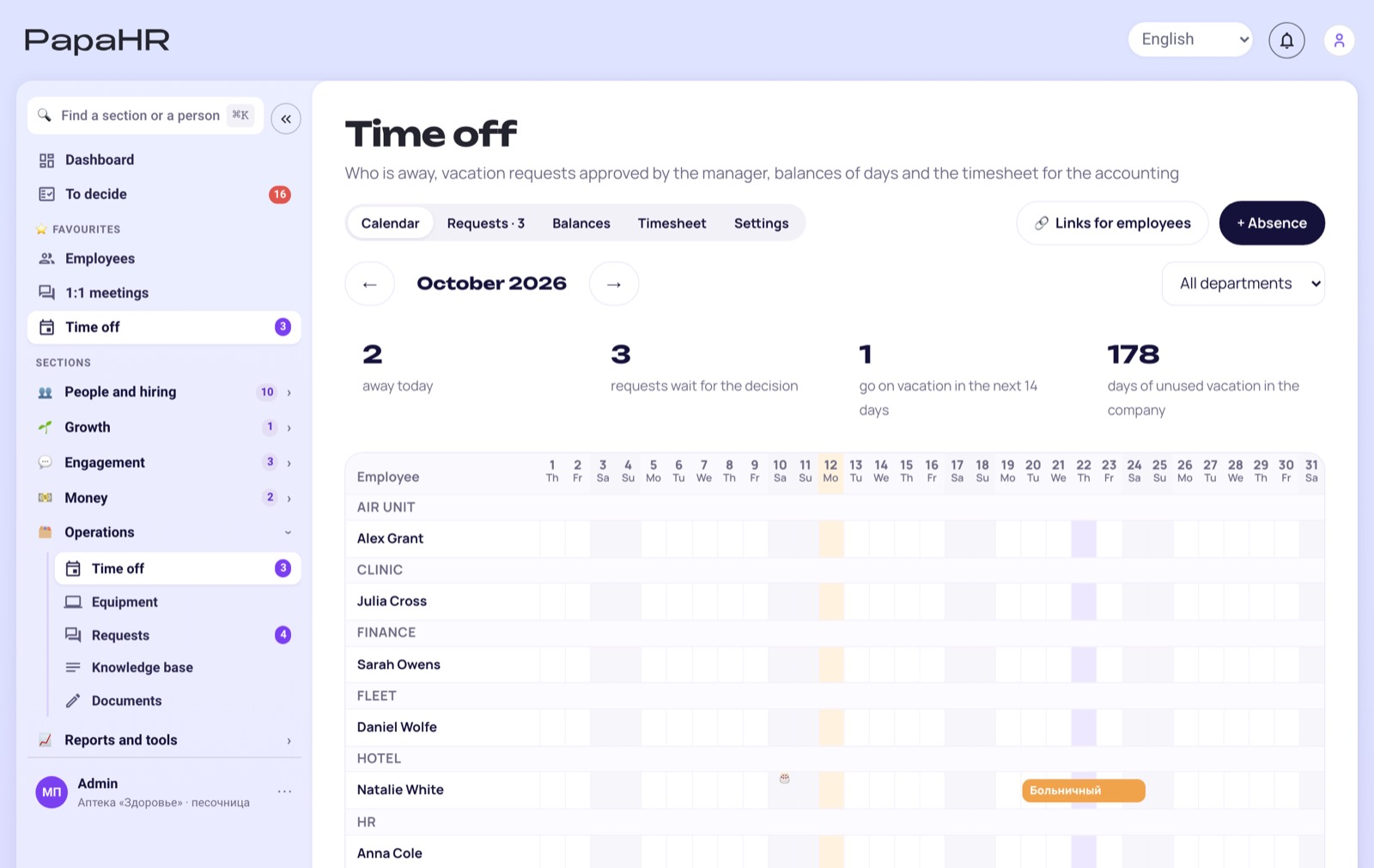
Your leave policy, not someone else's
Every company counts leave its own way. In PapaHR you set:
- Leave types: annual leave, sick leave, unpaid days and your own types
- Days a year for each type and the accrual — every month or all at once
- For a new employee — only the part of the year since the hire date
- Carry-over: the unused rest moves to the next year
- Manual adjustments with a note: bonus days or a correction
- Company holidays — they are not counted as leave days
Approval without calls
The request comes to the manager in PapaHR and in Telegram. Before approving, the manager sees how many people of the same department are already away on those dates — for example, «2 of 5» — so the team is not left empty.
Balances everyone can see
The employee sees their days: accrued, used, planned and left. HR does not answer «how many days do I have?» in chats, and the timesheet of the month fills itself.
Questions
Is the leave management system free?
Yes, in the free plan for up to 25 employees, with no time limit.
Can leave accrue monthly?
Yes: for each leave type you choose — the days accrue every month, or the whole year at once.
Is unused leave carried over?
Yes: the rest of past years is carried over, and HR can add or take away days by hand with a note.
How is it different from the time off tracker?
It is the same module of PapaHR. The time off tracker page is about requests and the calendar; this page is about setting up your leave policy.
Your leave policy in PapaHR — today
Sign up, set the leave types and upload the team — the balances are counted at once.
Other free templates and tools
- Free HR system
- Onboarding plan template
- Offboarding checklist
- Time off tracker
- Org chart
- 1:1 meeting template
- Performance review template
- eNPS survey
- Exit interview questions
- IDP template
- PIP template
- Job profile
- OKR examples
- 360 feedback questionnaire
- Turnover calculator
- Offer letter template
- 30-60-90 day plan
- Job posting template
- ATS for small business
- Engagement survey
- Interview scorecard
- RACI matrix
- KPI template
- Employee handbook
- Time clock
- Employee database
- Onboarding software
- Equipment tracking
- HR system instead of Excel
- PapaHR in Claude and ChatGPT
- About PapaHR
- Company HR audit